

Byggfakta
02. Green 1

Gain deeper insights and take the right action in your market

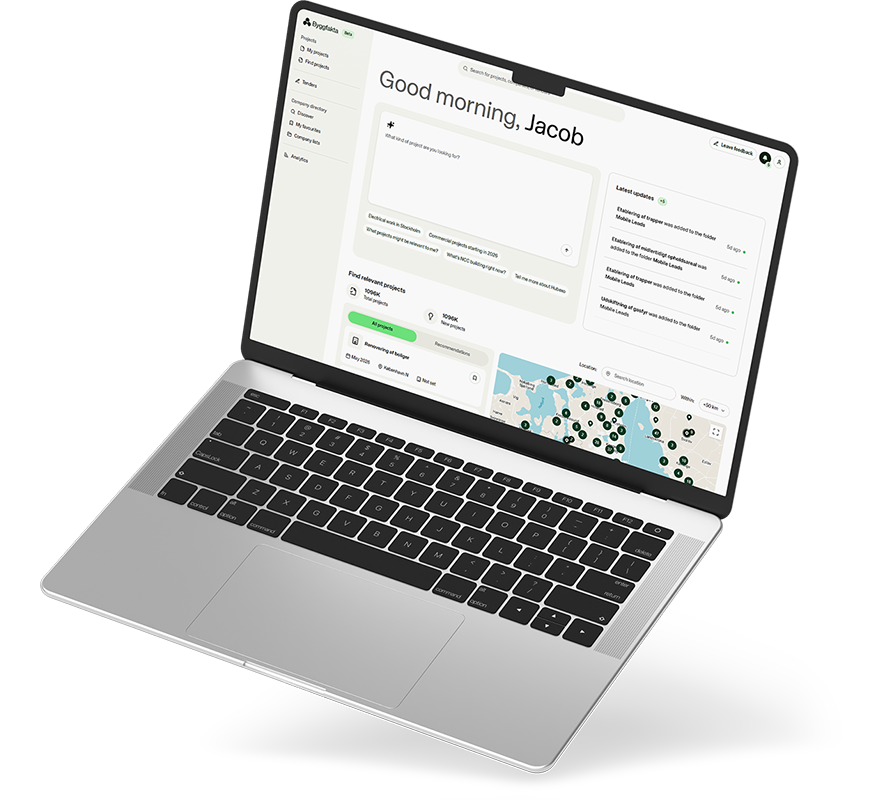
Byggfakta Rise gives you access to the market’s most comprehensive project information. With our add-on services, you’ll gain a clearer overview that helps you act faster and stay one step ahead.
build-facts-rise-macbook-grey01

Sales Scout

Clear recommendations.

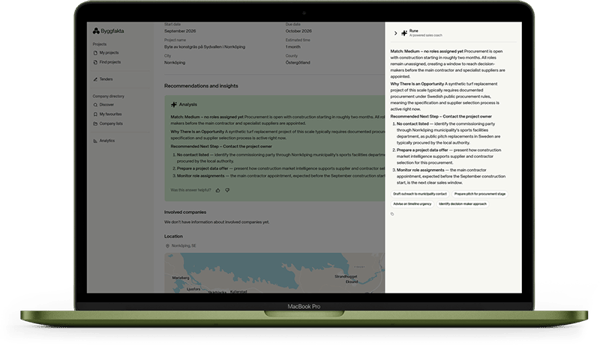
Sales Scout analyzes your situation and recommends the best next step, tailored to your company, industry, and region.

  • Next step
    Making good business decisions no longer has to be guesswork. Sales Scout shows you which opportunities offer the greatest potential, based on project data and your project history.
  • Tailored to your sales cycle
    Whether you’re prospecting, responding to a bid, or following up with a contact, the recommendations are tailored to your stage in the sales process.
  • Turn insights into action in one place
    Take action directly within the platform. Sales Scout shows you not only what to do but also whom to contact.
  • Projects that suit you
    Recommendations are tailored to your profile and the unique characteristics of each project, so you’ll receive suggestions that fit your specific circumstances.
Activate Sales Scout

macbook-sales-scout
byggfakta-rise-ipad-dashboard

Analysis

Understand where the market is heading

Based on data from Tactics, these analyses provide in-depth market insights to help you make better strategic decisions—so you can spend less time searching for projects and more time winning them.

Market Insights

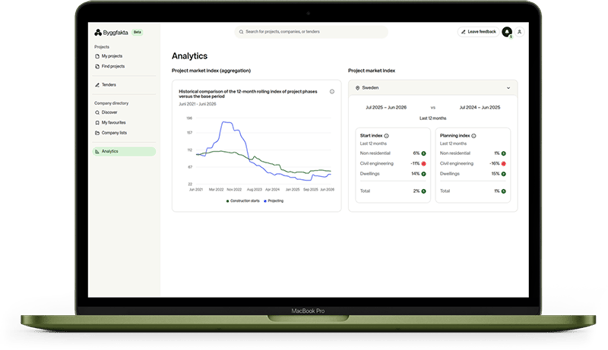
Track developments from the planning stage through the start of construction, compare the current quarter with previous periods, and gain a clear view of market conditions across your segments.


  • A rolling 12-month index based on five years of historical data helps you identify patterns and make informed decisions.


  • Get a clear overview of residential, other building construction, and civil engineering projects in separate views. See where the market is heading and contact the right person directly in the app, without switching to your contact list.
  • Country selector for users working across multiple markets. Manage multiple geographic areas in one view without switching tools.
Activate

Hubexo-rise-macbook-analytics

ai-chat

Project Insights

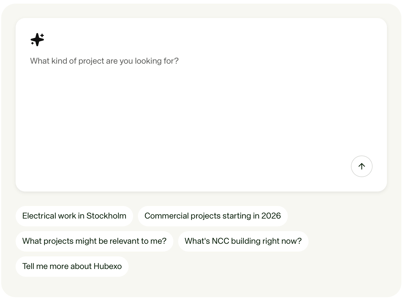
Project Insights show you which stakeholders are likely to be involved, based on similar projects and past collaboration patterns.

  • Suggested companies
    AI identifies the stakeholders most likely to be involved, even before a project is announced.
  • Company information
    View the company’s location, specialization, revenue, and employee count in one place.
  • A head start before the project is announced
    Project Insights show which companies are likely to take on key roles before a project is made public, giving you time to contact the right person.

Activate

Enable additional services?

Fill out the form or contact your sales representative directly.

FAQ

Frequently asked questions

Most of your questions are answered here. If you can’t find what you’re looking for, feel free to contact us at the email address below.

What’s the difference between Sales Scout and the standard project workflow?
The project workflow shows what’s happening in the market. Sales Scout picks up from there and tells you what you should do next. That’s the difference between information and action.
How does the system know which action is right for my specific company?
Sales Scout analyzes your company type, industry, and where you are in the sales cycle. The recommendations are based on your profile and the specific characteristics of each project, not on general templates.
Does Sales Scout work even if I don’t have a complete pipeline in the platform?
Yes. Sales Scout works with the data available and improves its recommendations the more you use the platform.
Which markets does Analysis cover?
Project Analysis covers Sweden, Norway, Denmark, and Finland. The same platform, the same depth, no matter which Nordic market you work in.
How far into the future do the forecasts in the project insights extend?
Project Analysis uses our historical data to predict which companies are most likely to win a project.
How often is the data updated?
Project Insights is updated continuously. New projects are registered on an ongoing basis, and changes to existing projects are reflected in near real time. You see the market as it is now, not as it appeared in last week’s report.
Is Analytics available in Hubexo Reach?
No. Analytics is a desktop feature and is best used when you’re planning, not when you’re on-site.
Can I try it before I buy?
Book a demo, and we’ll show you the platform tailored to your specific segment and needs—not a generic demo. Schedule a meeting with the sales team, and we’ll show you which modules are right for your business.
Can I purchase the modules separately?
Yes. Sales Scout and Analytics are separate add-ons. You activate only what you need.
How much does it cost?
The price depends on how you use the platform. It’s based on company size, markets, number of users, and add-ons. Fill out the form to receive a quote tailored to your business—not a generic price tag.
Who can I contact if I have technical questions after activation?
You can reach support through the platform or at support.nordics@hubexo.com.

Do you still have questions?

Our team is here to help you.